
Replacing a computer, adding a second station, or recovering after a crash? You can move everything to the new computer with a BodyMetrix backup. This works the same way in BodyMetrix Software Pro and YSC.
Step 1: Export a backup from your old computer
- On the old computer, open BodyMetrix and click Setup.
- Enter your 6-digit PIN.
- On the Setup & Migration page, scroll to Export & Transfer and click Export Backup...
- Choose where to save the file, and set a password for it. BodyMetrix saves an encrypted .bmx file.
- Write the password down. You'll need it to restore.
- Copy the .bmx file to a USB drive or another safe location.
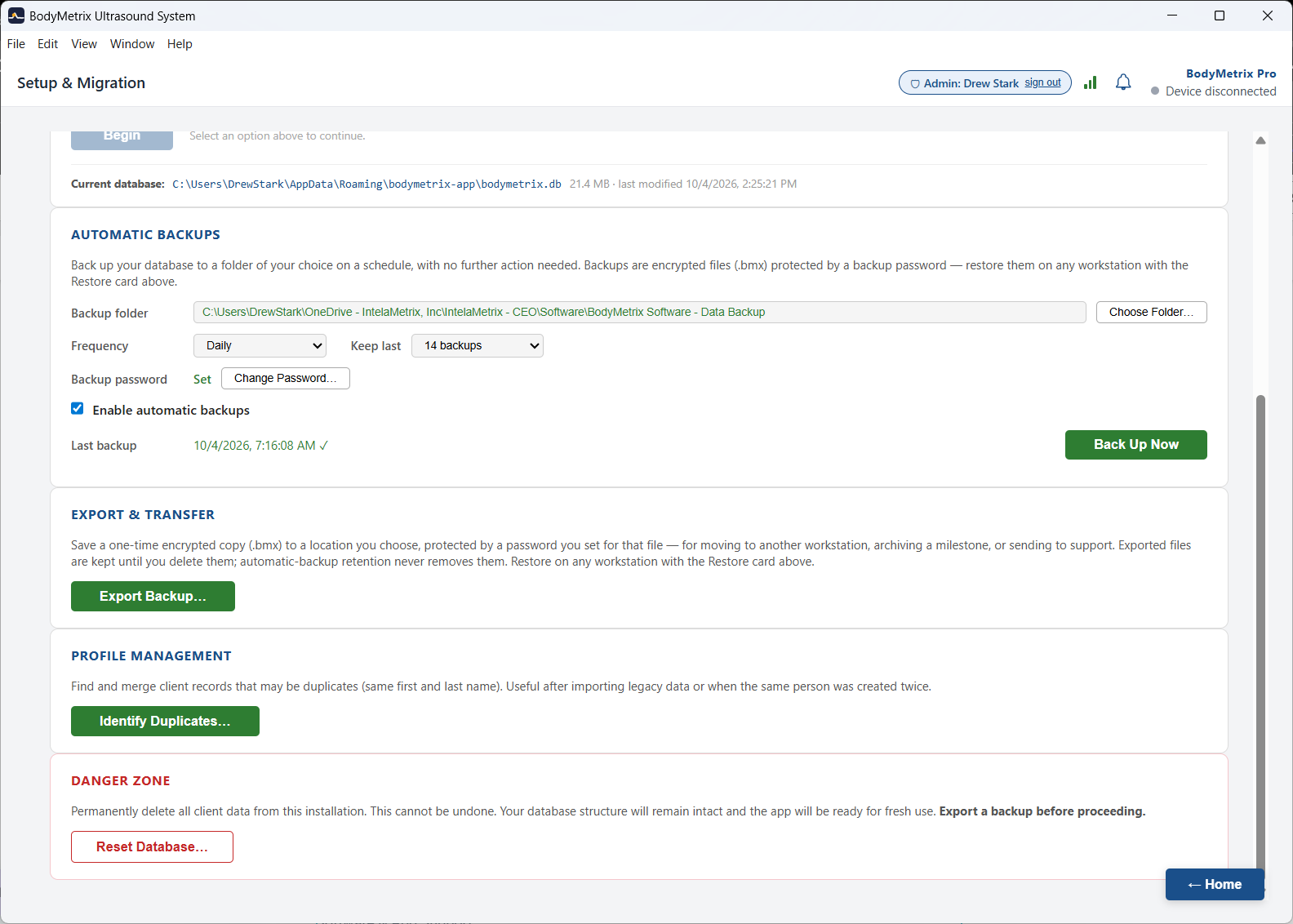
Already using automatic backups? If Enable automatic backups is turned on, BodyMetrix saves encrypted backups to your backup folder on a schedule. You can restore from the most recent one with your backup password instead.
Step 2: Install BodyMetrix on the new computer
See Download BodyMetrix Software.
Step 3: Activate and restore
Your activation code is tied to your Subscription, not to your computer or Device, so use the same code on the new computer.
- Open BodyMetrix on the new computer. The Setup Wizard starts.
- Complete the first steps, including entering your activation code.
- On the Where is your data? step, choose Restore from a BodyMetrix backup.
- Click Browse... and select your .bmx file.
- Enter the backup password.
- Click Restore.
The new computer picks up exactly where the old one left off.
Already set up the new computer? You can restore later from Setup > Setup & Migration.
Part of an organization's Enterprise Agreement? Your organization has a set number of seats. Check with your program administrator before activating an additional computer.
Need help? Open a support case at bodymetrix.com/pages/contact-support-form and choose Software & App Support.