
After you confirm weigh-ins, the review screen sorts wrestlers into Completed and Incomplete. The Missing column shows exactly what each incomplete wrestler still needs. Click Continue: Final Roster, review the summary, and submit. Your results are uploaded and on record.
Incomplete wrestlers are held back. Finish them in a later session and submit again. Only the newly completed wrestlers are added.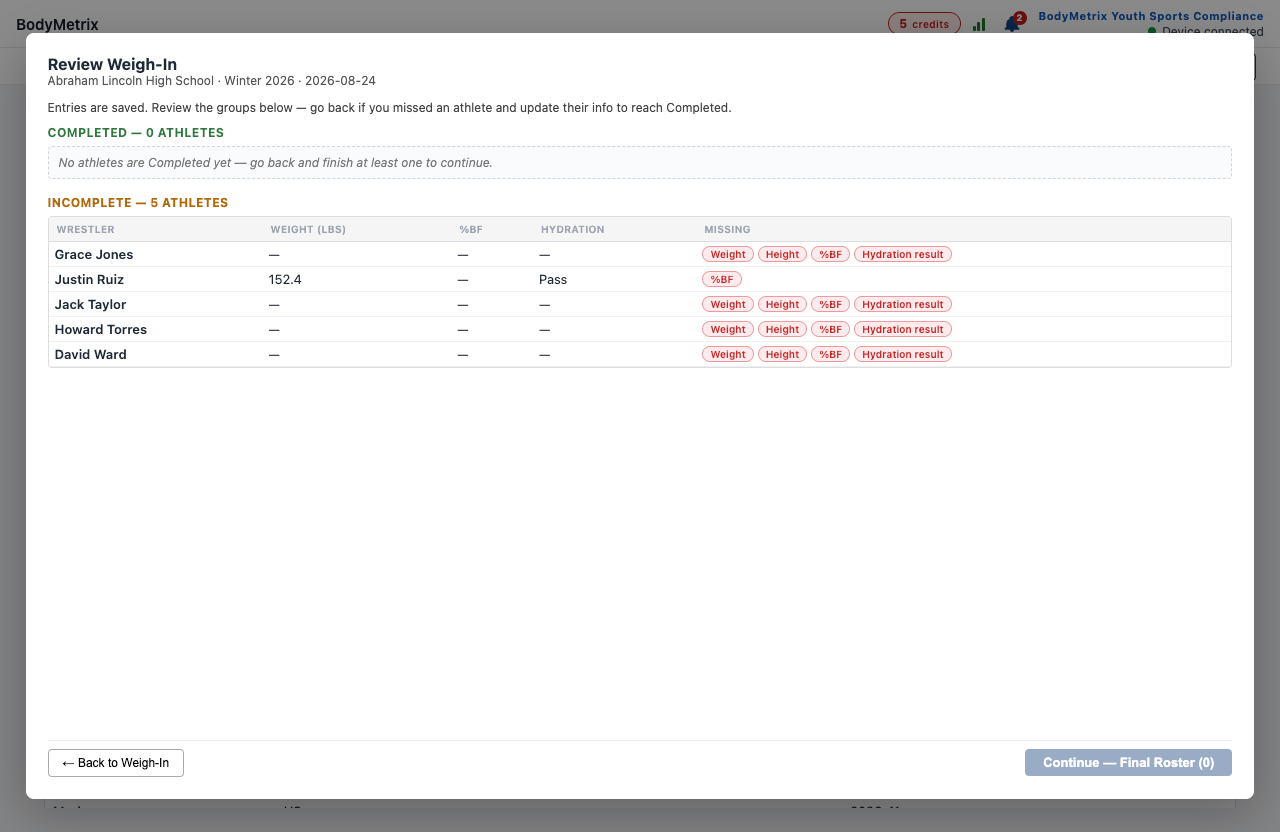
Submission is the billable event. It uses one assessment credit per completed wrestler, counted once per wrestler per event.
Note: Credits are NOT consumed if you have a Annual or Enterprise Agreement "EA" Access Code applies.
Still stuck? Open a support case at bodymetrix.com/pages/contact-support-form. Include the step you were on and any code the app shows.