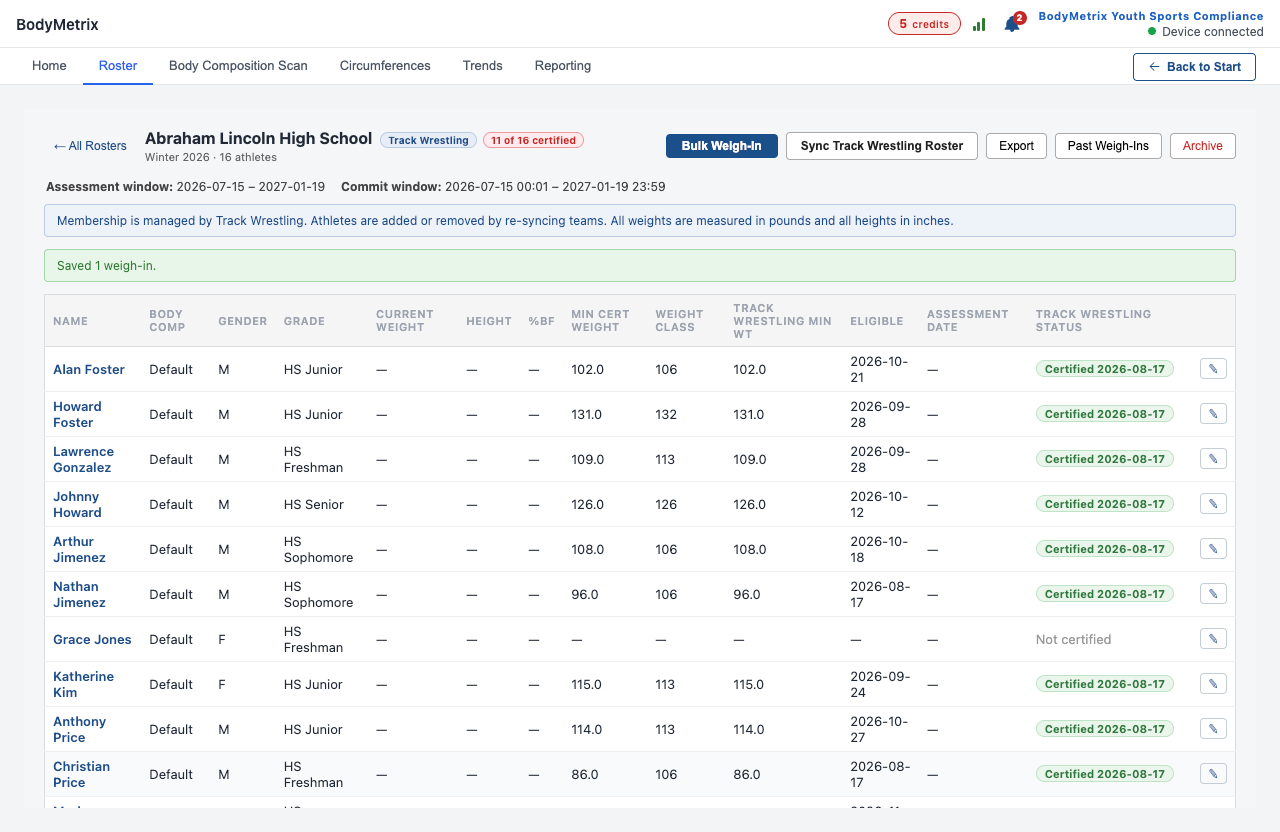
1. Start a Bulk Weigh-In. Open your roster, click Bulk Weigh-In, and enter your 6-digit PIN. Your PIN stamps every measurement with your name, and it stays in effect until you close the weigh-in.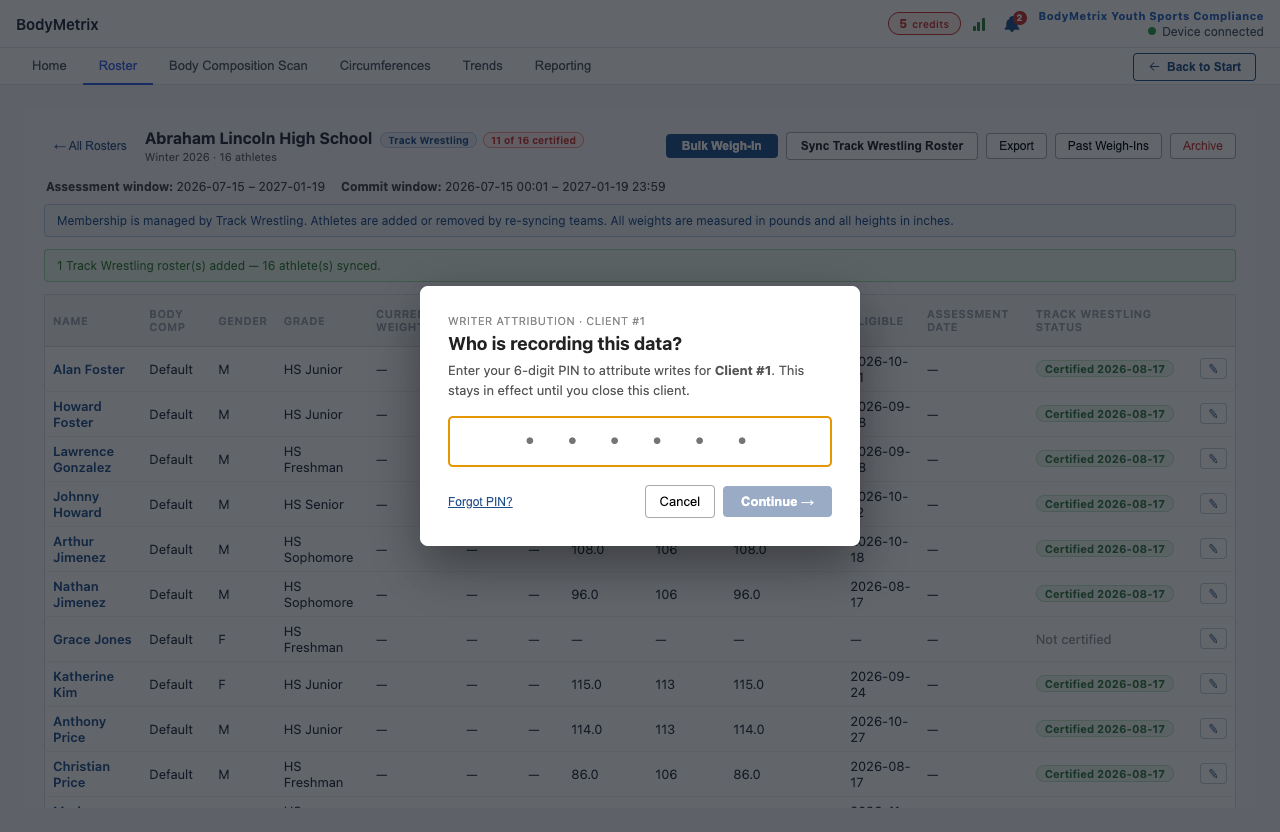
2. Enter each wrestler's numbers. Confirm the date and enter the weighmaster's name. Wrestlers who still need assessing are listed first. Wrestlers already certified appear at the bottom and can't be re-assessed here, because appeals are handled in Track Wrestling. For each wrestler, enter Weight (lbs) and Height (in) (both required), Age if available, and set Hydration to Pass or Fail. Click Save Progress at any time.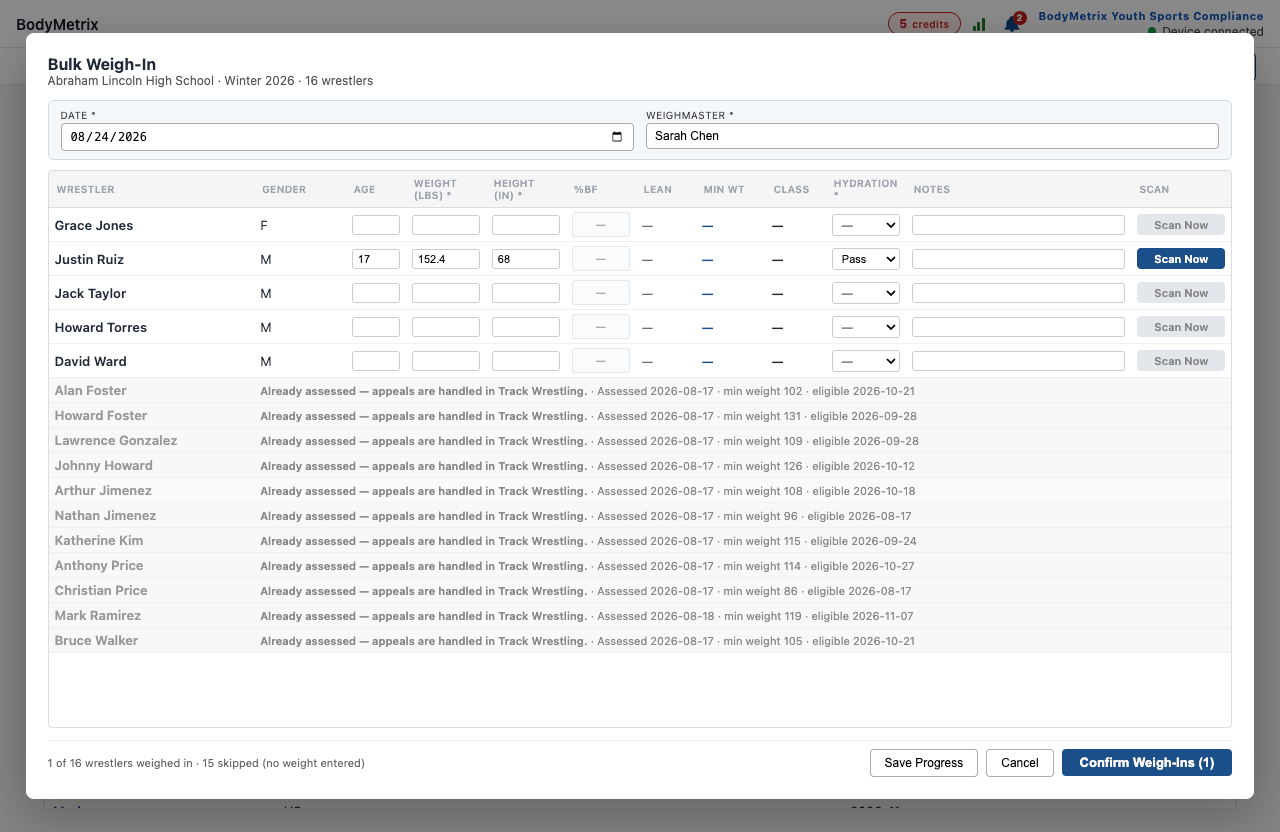
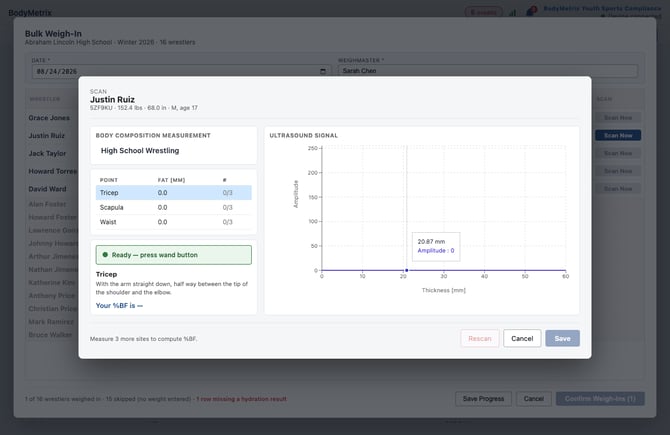
3. Scan for body fat. Click Scan Now on the wrestler's row. Apply gel, then follow the on-screen placement for each site: Tricep, Scapula, Waist. When the status shows Ready, press wand button, hold the wand on the site and press its button. Take 3 readings per site. The counter (0/3, 1/3...) tracks your progress. After all three sites, %BF appears. Click Save.
[
4. Confirm the weigh-ins. Click Confirm Weigh-Ins. The button stays greyed out until every weighed wrestler has a hydration result. Weight class, minimum weight, and eligibility then calculate automatically.